> ## Documentation Index
> Fetch the complete documentation index at: https://aaa-418ef7e6.mintlify.site/llms.txt
> Use this file to discover all available pages before exploring further.
# 在 OpenClaw 中使用 CiYuanBest
> 通过 CC Switch 可视化配置工具,在 OpenClaw 中接入 CiYuanBest 服务
为降低大家使用的门槛,本文档通过可视化的工具来进行配置。
对于进阶玩家手动配置,核心信息如下:
* **Base URL**:`https://api.ciyuan.best`
* **可用模型**:[https://www.ciyuan.best/pricing](https://www.ciyuan.best/pricing)
## 进入 CiYuanBest 官网申请自己的 key
* 如果你还没有 CiYuanBest 账号,请先注册:[注册账号和获取 API Key](/guide/register)
* 如果你还没有 CiYuanBest 的 API Key,请先生成:[注册账号和获取 API Key](/guide/register)
## 选择合适自己应用场景的模型
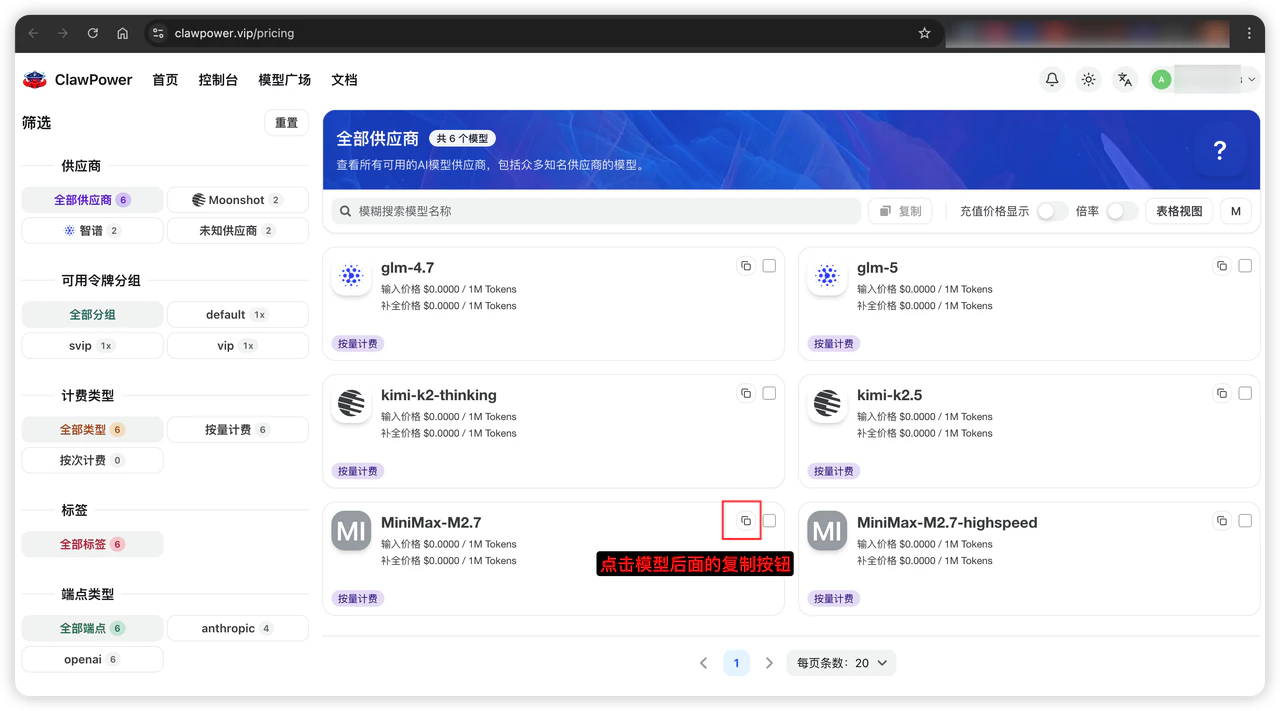
进入 [CiYuanBest 模型广场](https://www.ciyuan.best/pricing):
* 模型广场中的模型都可以使用,只是每个模型有各自的价格
* 点击模型后面的复制按钮,将模型 ID 复制到剪切板
* 将模型 ID 记录下来,例如:`MiniMax-M2.7`
 ## 下载可视化配置工具 CC Switch
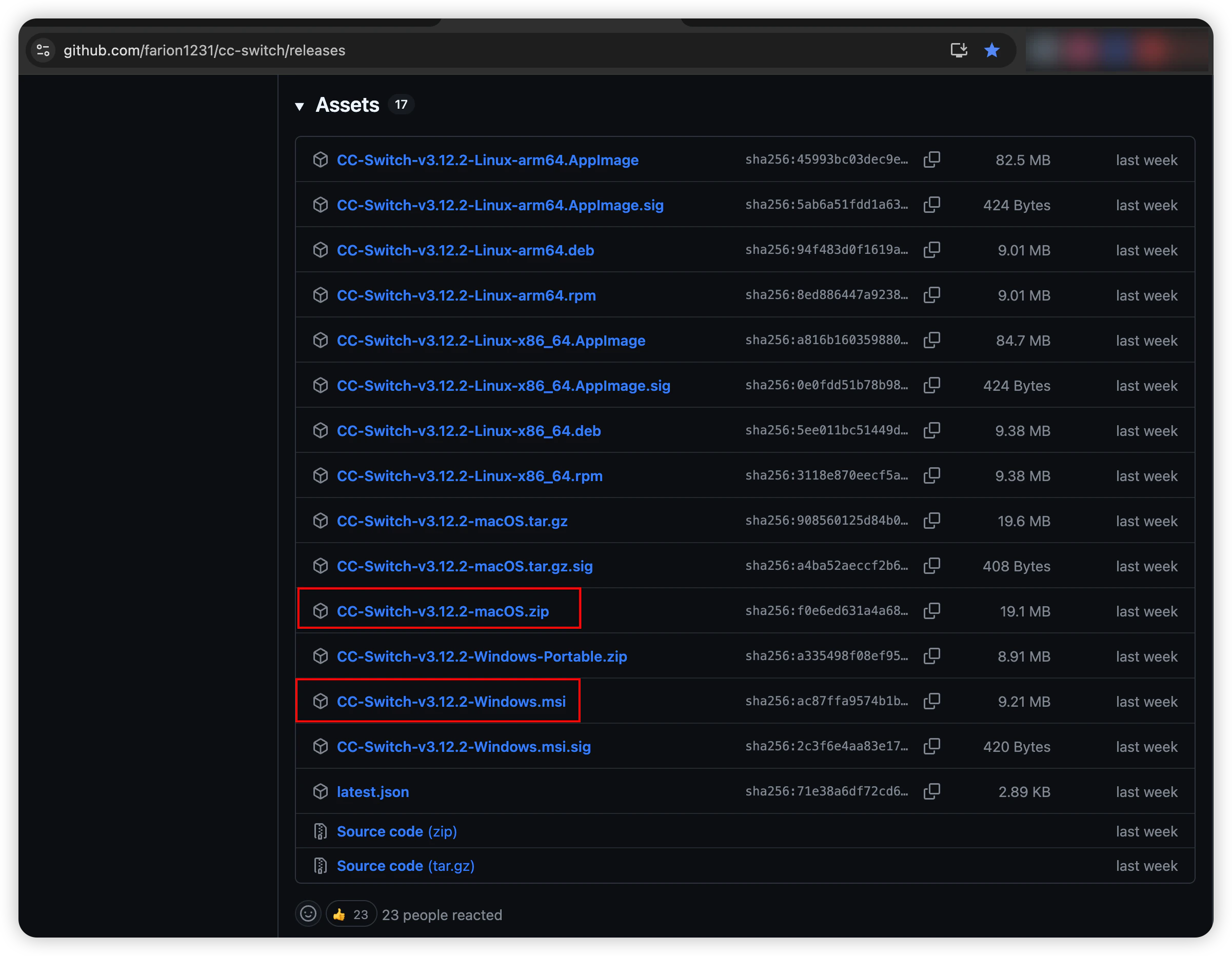
根据你的操作系统下载对应版本:[https://github.com/farion1231/cc-switch/releases](https://github.com/farion1231/cc-switch/releases)
## 下载可视化配置工具 CC Switch
根据你的操作系统下载对应版本:[https://github.com/farion1231/cc-switch/releases](https://github.com/farion1231/cc-switch/releases)
 ## 在 CC Switch 中给 OpenClaw 添加模型
### 点击右上角的「+」添加模型
## 在 CC Switch 中给 OpenClaw 添加模型
### 点击右上角的「+」添加模型
 点击「自定义配置」,然后添加如下字段:
```text theme={null}
供应商标识:clawpower
供应商名称:CiYuanBest
官网链接:https://www.ciyuan.best
API 协议:选择,Anthropic Messages
API 端点:https://api.ciyuan.best
API Key:刚才从 CiYuanBest 复制的令牌
发送 User-Agent:打开开关
模型 ID:claude-sonnet-4-6(或者自己合适的模型,比如:MiniMax-M2.7)
显示名称:claude-sonnet-4-6
```
最后点击底部按钮「添加」。
点击「自定义配置」,然后添加如下字段:
```text theme={null}
供应商标识:clawpower
供应商名称:CiYuanBest
官网链接:https://www.ciyuan.best
API 协议:选择,Anthropic Messages
API 端点:https://api.ciyuan.best
API Key:刚才从 CiYuanBest 复制的令牌
发送 User-Agent:打开开关
模型 ID:claude-sonnet-4-6(或者自己合适的模型,比如:MiniMax-M2.7)
显示名称:claude-sonnet-4-6
```
最后点击底部按钮「添加」。
 上面是上半部分的配置,下面是下半部分的配置
非常重要:一定要将「发送 User-Agent」的开关开启。
如果未开启,会报错:403 Your request was blocked.
上面是上半部分的配置,下面是下半部分的配置
非常重要:一定要将「发送 User-Agent」的开关开启。
如果未开启,会报错:403 Your request was blocked.
 ### 回到模型列表页
点击「添加」按钮,就可以正常在 OpenClaw 中使用 CiYuanBest 提供的模型。
### 回到模型列表页
点击「添加」按钮,就可以正常在 OpenClaw 中使用 CiYuanBest 提供的模型。
 ## 常见问题 FAQ
### 403 Your request was blocked
**原因**:未开启 CC Switch 上的「发送 User-Agent」
**修复**:开启「发送 User-Agent」开关
## 常见问题 FAQ
### 403 Your request was blocked
**原因**:未开启 CC Switch 上的「发送 User-Agent」
**修复**:开启「发送 User-Agent」开关
