> ## Documentation Index
> Fetch the complete documentation index at: https://aaa-418ef7e6.mintlify.site/llms.txt
> Use this file to discover all available pages before exploring further.

# Register get for API Key

> 注册 CiYuanBest 账号并生成 API Key

## 注册账号

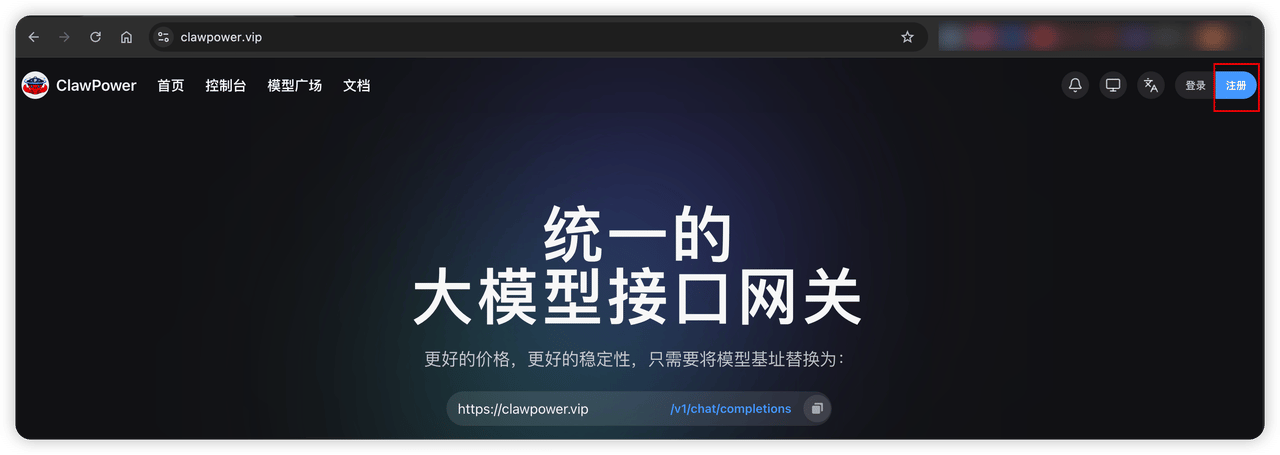
### **访问 CiYuanBest 官网**

[https://www.ciyuan.best/](https://www.ciyuan.best/)
<Frame>
  <img src="https://mintcdn.com/clawpower/TG-Ad4D7TXq_8F5_/images/image-1.png?fit=max&auto=format&n=TG-Ad4D7TXq_8F5_&q=85&s=6eeecefa99c7f7c2fccb8d4272f0650b" alt="Image" width="1280" height="455" data-path="images/image-1.png" />
</Frame>

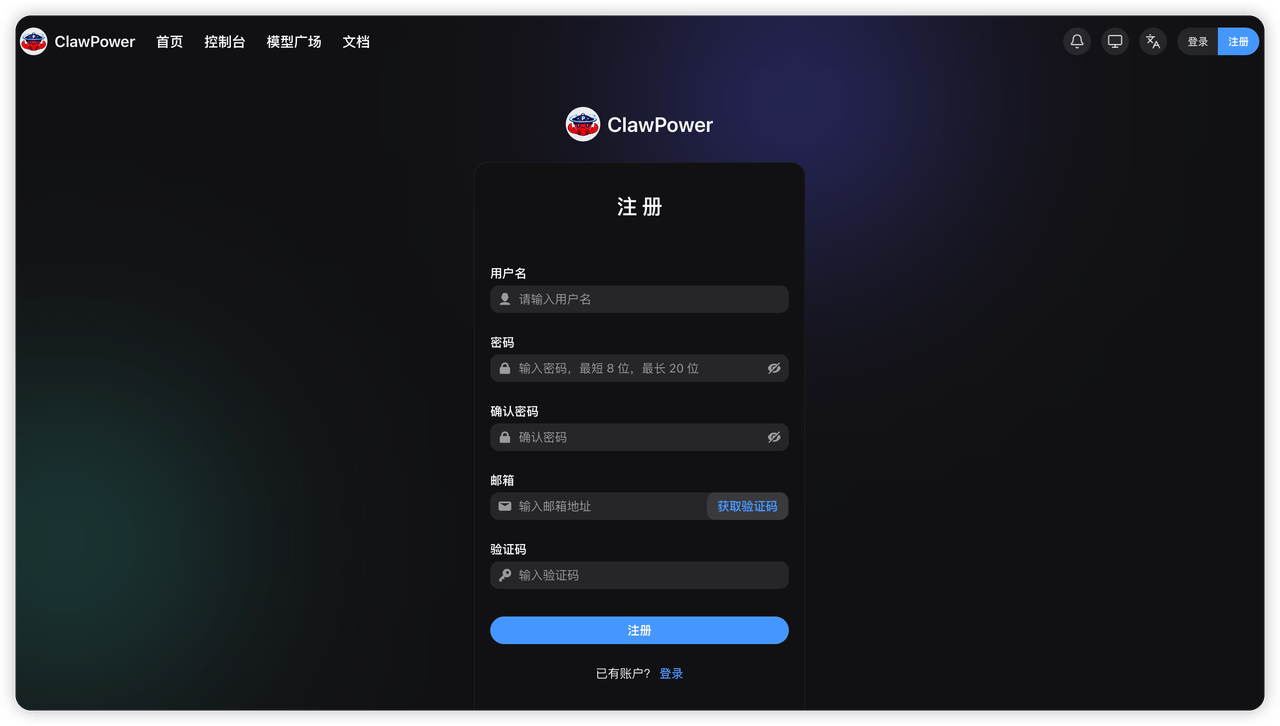
### **点击右上角「注册」按钮进行注册**

<Frame>
  <img src="https://mintcdn.com/clawpower/TG-Ad4D7TXq_8F5_/images/image-2.png?fit=max&auto=format&n=TG-Ad4D7TXq_8F5_&q=85&s=9f6e0ff6747bbad674ab16a2e2393b99" alt="Image" width="1280" height="726" data-path="images/image-2.png" />
</Frame>

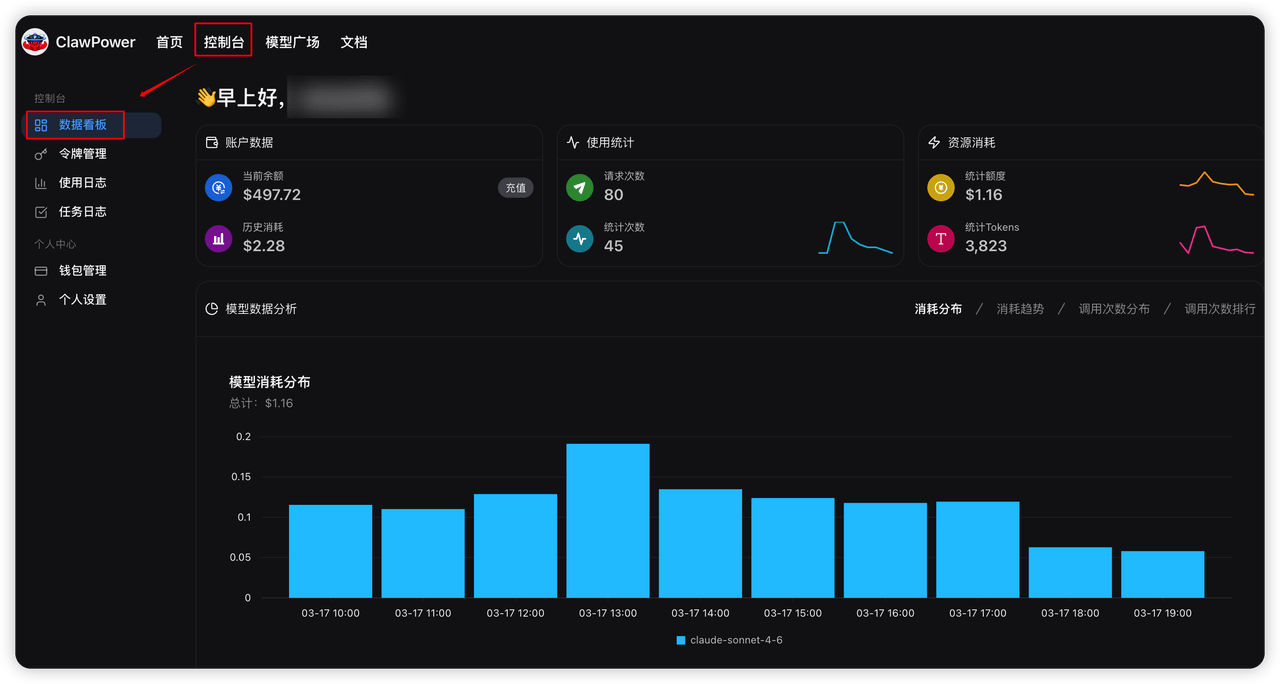
### **点击顶部菜单「控制台」查看自己的账户使用情况**

<Frame>
  <img src="https://mintcdn.com/clawpower/TG-Ad4D7TXq_8F5_/images/image-3.png?fit=max&auto=format&n=TG-Ad4D7TXq_8F5_&q=85&s=2e964461b03fc119d58d7e93df57afff" alt="Image" width="1280" height="684" data-path="images/image-3.png" />
</Frame>

## 生成  API Key

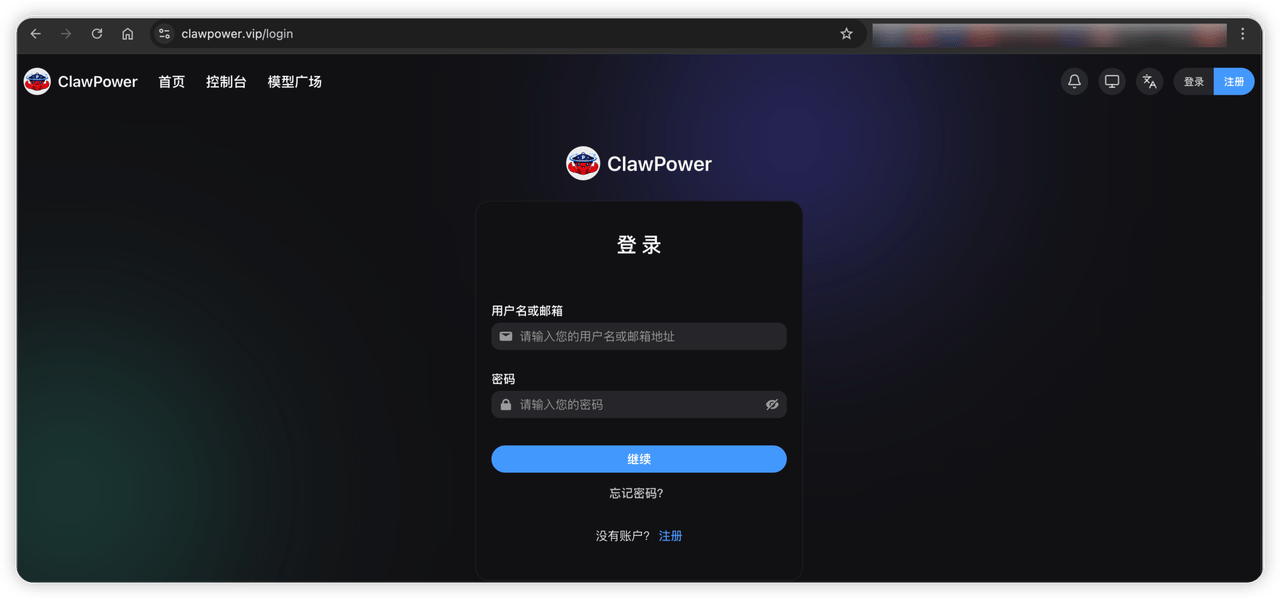
### 登录 CiYuanBest

[https://www.ciyuan.best/login](https://www.ciyuan.best/login)
<Frame>
  <img src="https://mintcdn.com/clawpower/TG-Ad4D7TXq_8F5_/images/image-4.png?fit=max&auto=format&n=TG-Ad4D7TXq_8F5_&q=85&s=b3c79e2c5657cec3b212652a0042e9a1" alt="Image" width="1280" height="599" data-path="images/image-4.png" />
</Frame>

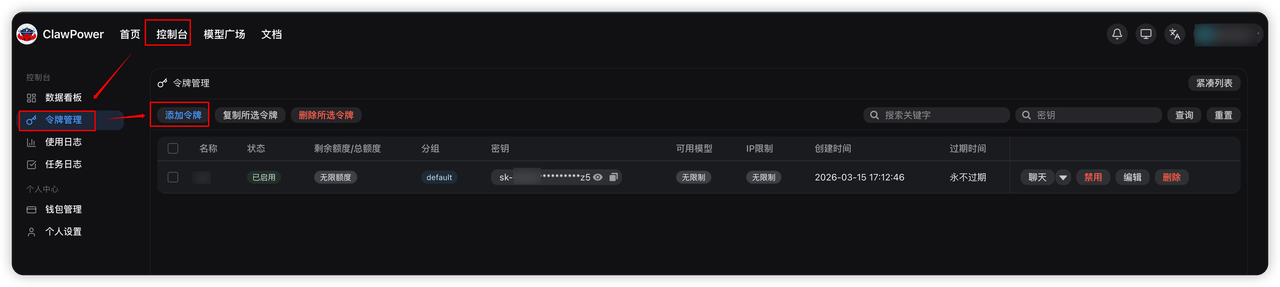
### 点击左侧菜单「令牌管理」

再点击「添加令牌」按钮，如下图：

<Frame>
  <img src="https://mintcdn.com/clawpower/TG-Ad4D7TXq_8F5_/images/image-5.png?fit=max&auto=format&n=TG-Ad4D7TXq_8F5_&q=85&s=88af7b32ed346b7a4635c49d4b1b5eb9" alt="Image" width="1280" height="287" data-path="images/image-5.png" />
</Frame>

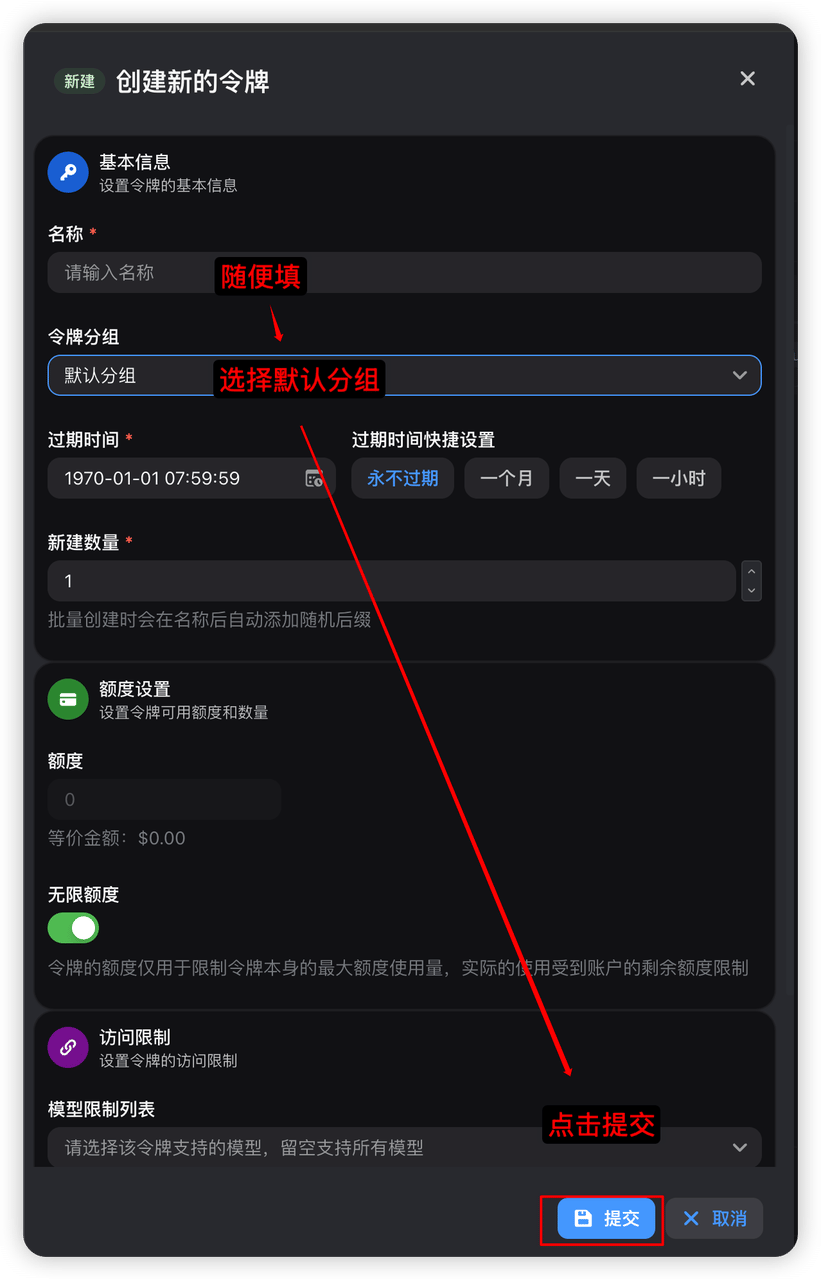
弹出如下窗口，只需要填写如下字段：

* 名称：随便填
* 令牌分组：选择默认分组

再点击底部的「提交」按钮（其它的字段都可能不管）。

<Frame>
  <img src="https://mintcdn.com/clawpower/TG-Ad4D7TXq_8F5_/images/image-6.png?fit=max&auto=format&n=TG-Ad4D7TXq_8F5_&q=85&s=4d905dbe86e03175f6fef6ca746a1838" alt="Image" title="Image" style={{ width:"45%" }} width="821" height="1280" data-path="images/image-6.png" />
</Frame>

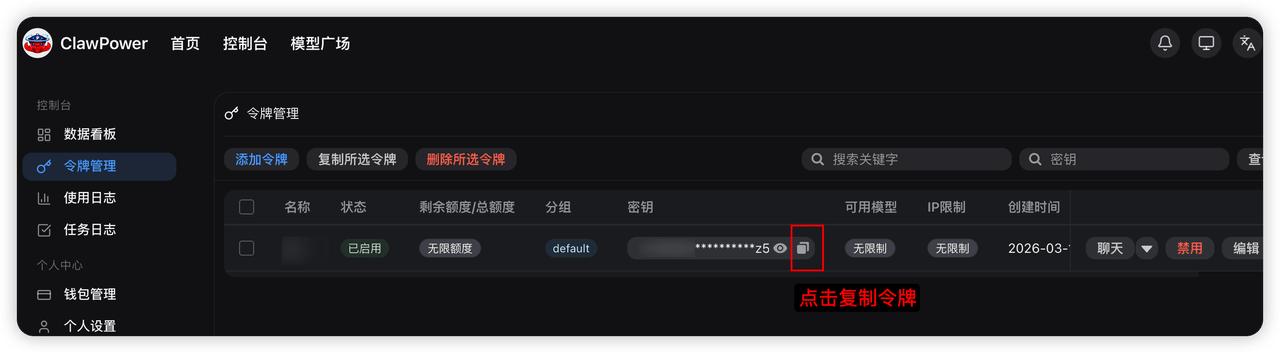
再回到「令牌管理」菜单，点击下面红框的按钮复制令牌，然后粘贴到自己的记事本上，后面会用到。

<Frame>
  <img src="https://mintcdn.com/clawpower/TG-Ad4D7TXq_8F5_/images/image-7.png?fit=max&auto=format&n=TG-Ad4D7TXq_8F5_&q=85&s=2d349ba08fc0526ed368bc282494d403" alt="Image" width="1280" height="353" data-path="images/image-7.png" />
</Frame>